Ring it up. Print it. Know today's total.
Receipt POS turns your iPhone and a cheap Bluetooth or Wi-Fi thermal printer into a receipt machine for your shop, stall or pop-up. Connect in two minutes, sell in a few taps, print a receipt with your name and logo on it.

iPhone and iPad · No account · Works offline
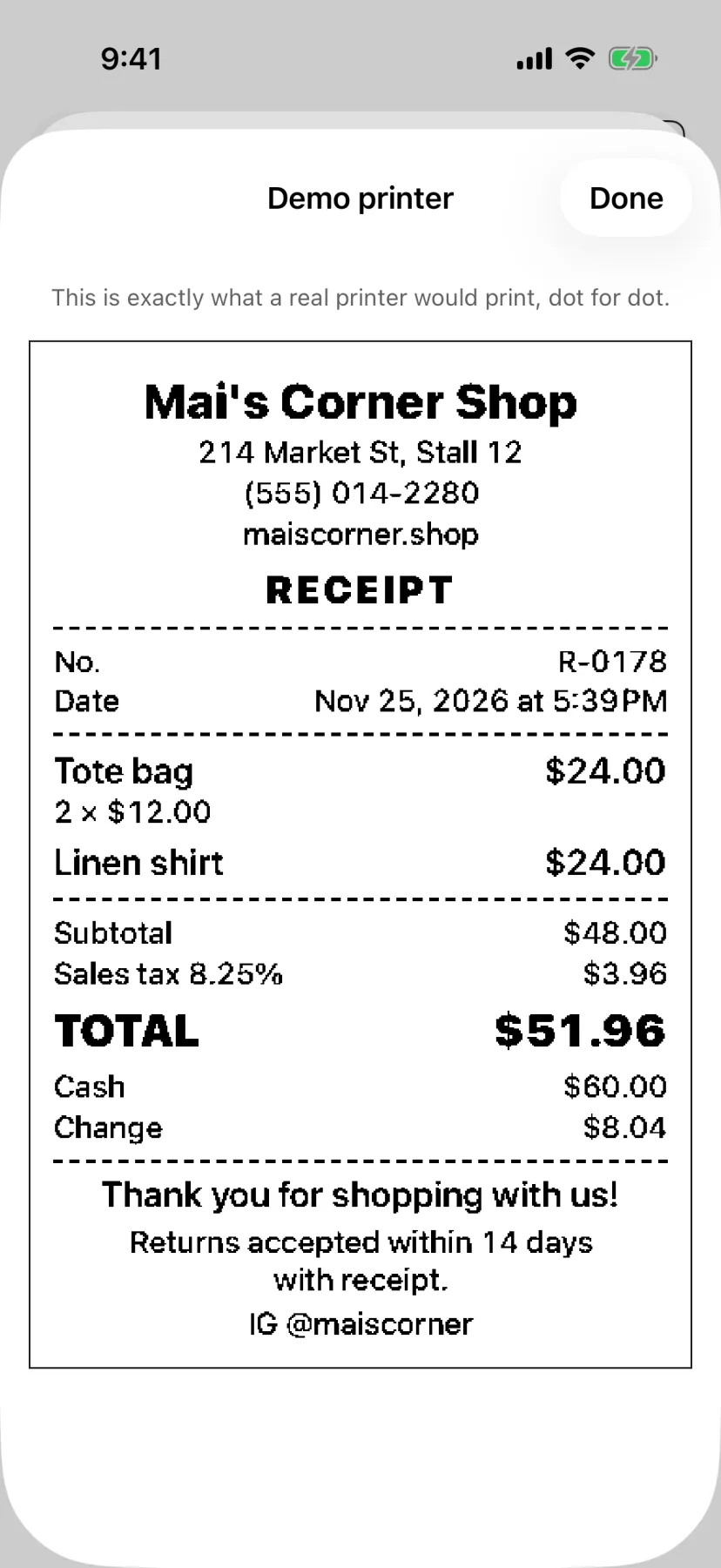
Mai's Corner Shop
214 Market St, Stall 12
RECEIPT
No.R-0178
DateNov 25, 2026 5:39 PM
Tote bag$24.00
2 × $12.00
Linen shirt$24.00
Subtotal$48.00
Sales tax 8.25%$3.96
TOTAL$51.96
Cash$60.00
Change$8.04
Thank you for shopping with us!
Returns accepted within 14 days with receipt.
IG @maiscorner
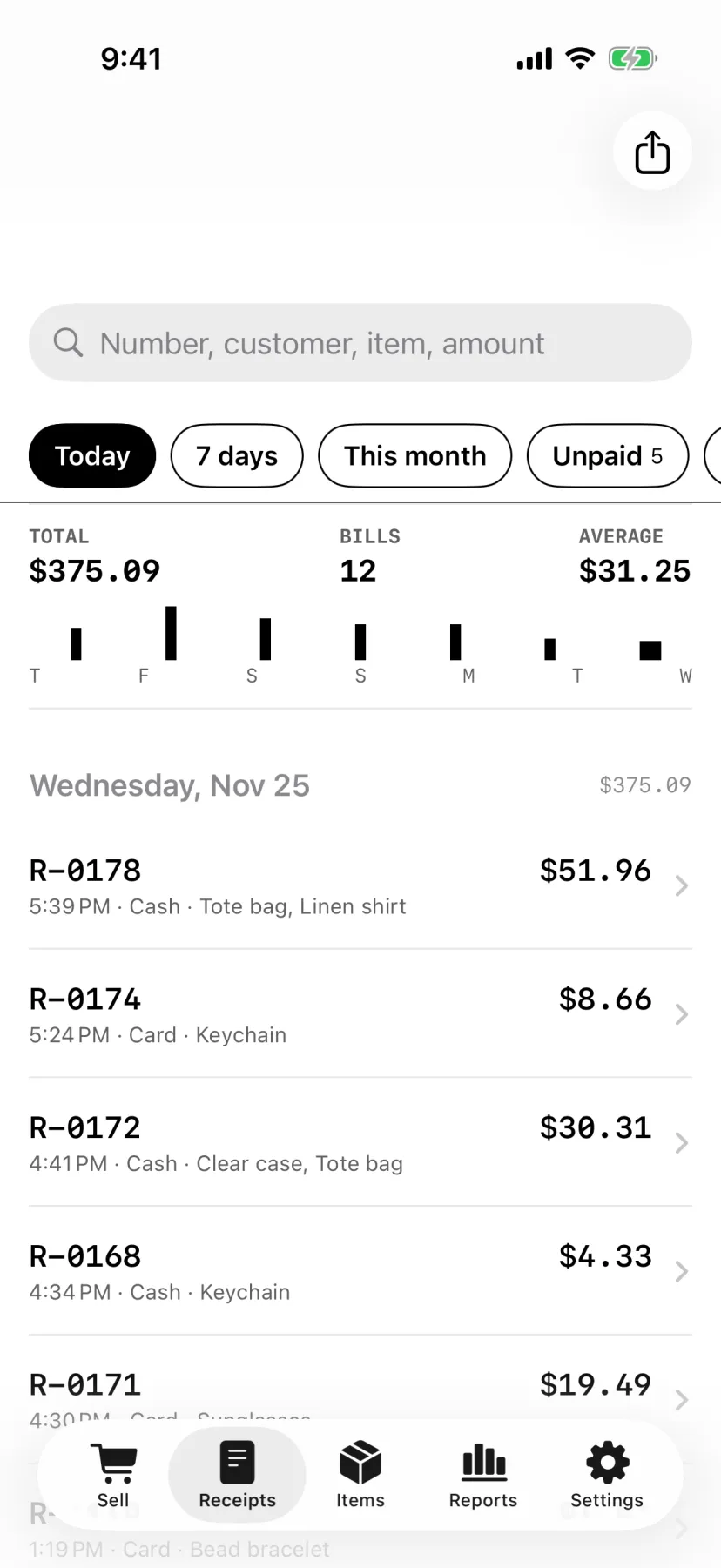
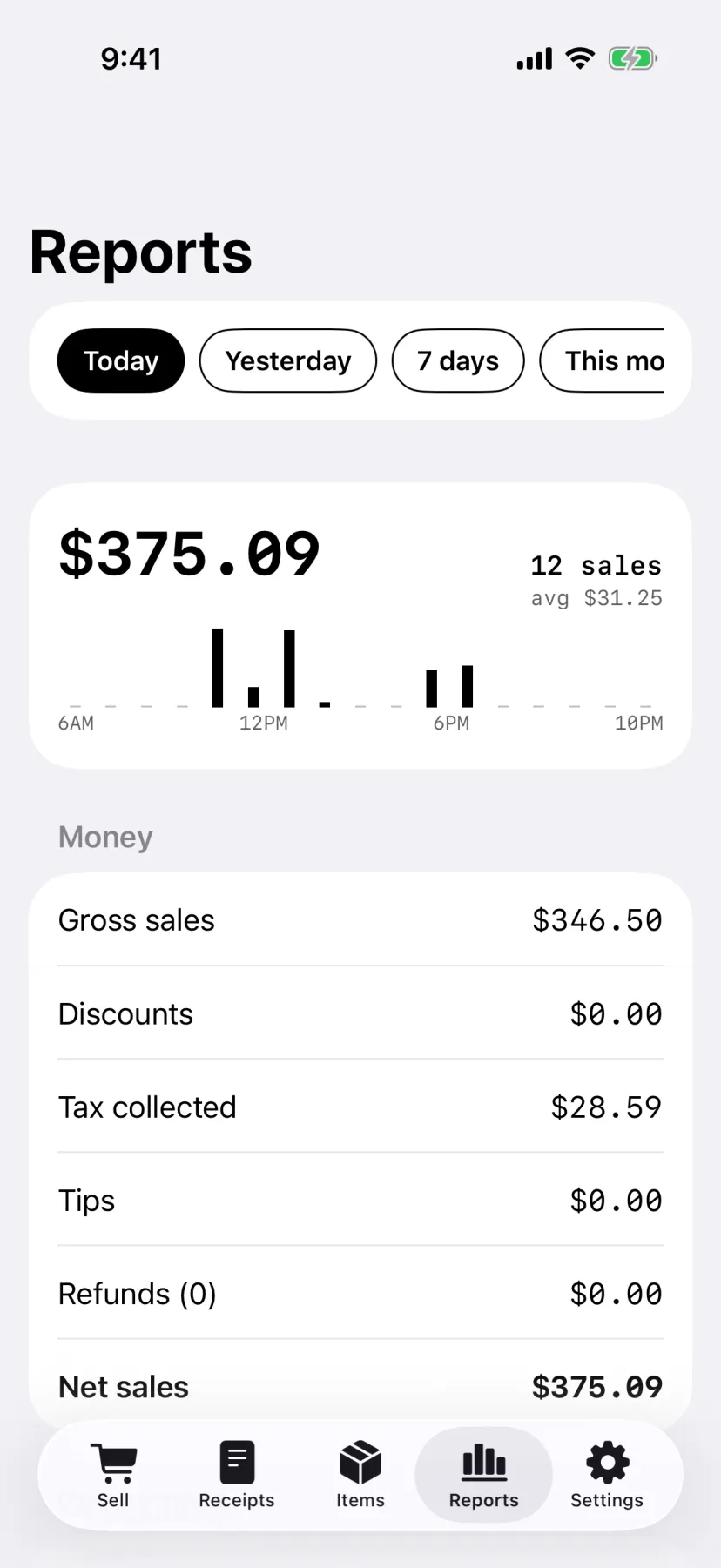
TODAY$375.09· 12 sales
Today's total sits at the top of the Sell screen. No notebook, no spreadsheet.
From box to first receipt in minutes.
Set it up once. After that it just works, every day, with a queue in front of you.
- 01
Connect
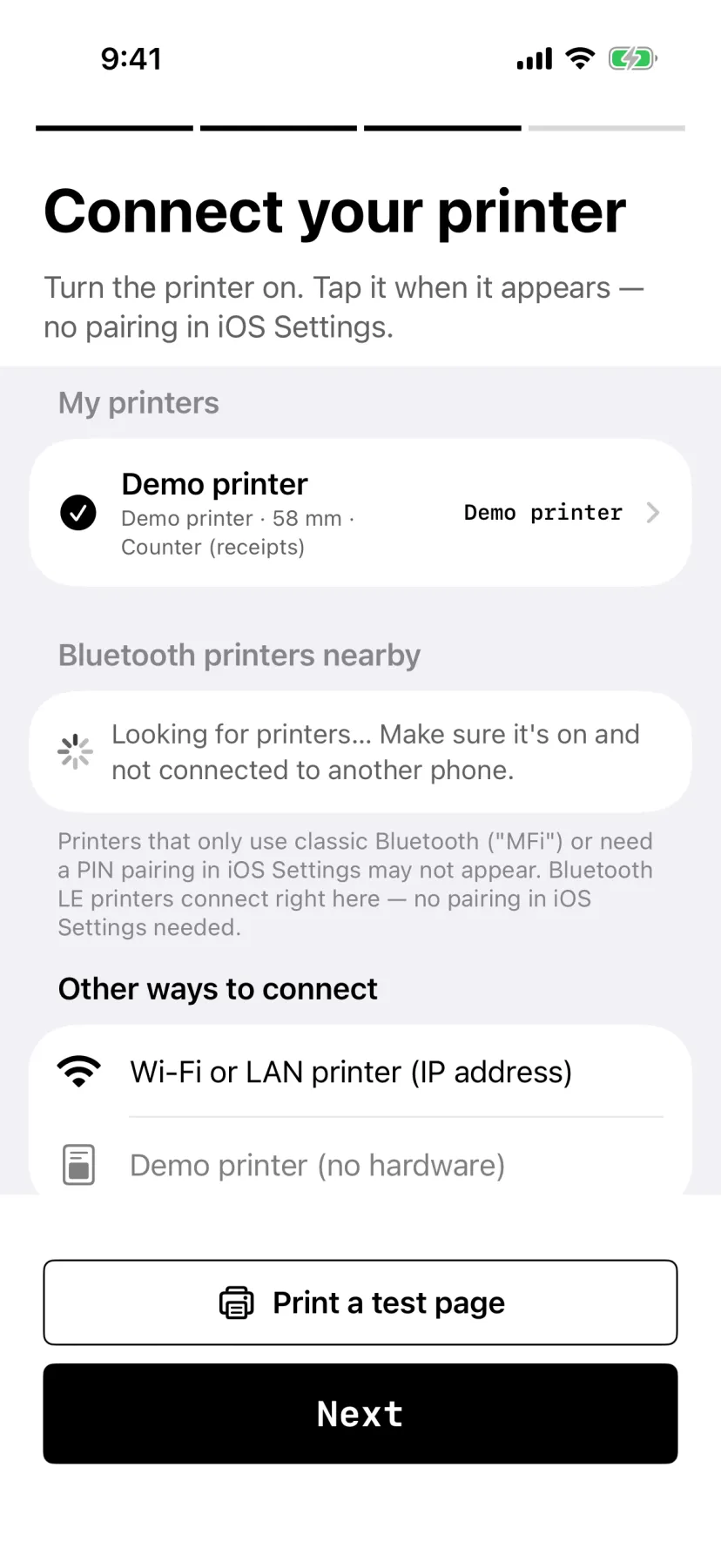
Turn the printer on and tap it in the app. No pairing in iOS Settings. Print a test page to check it.
- 02
Add your shop
Your name, logo, address and social handles go on every receipt. Add items with a price and an emoji, or start from sample items.
- 03
Charge
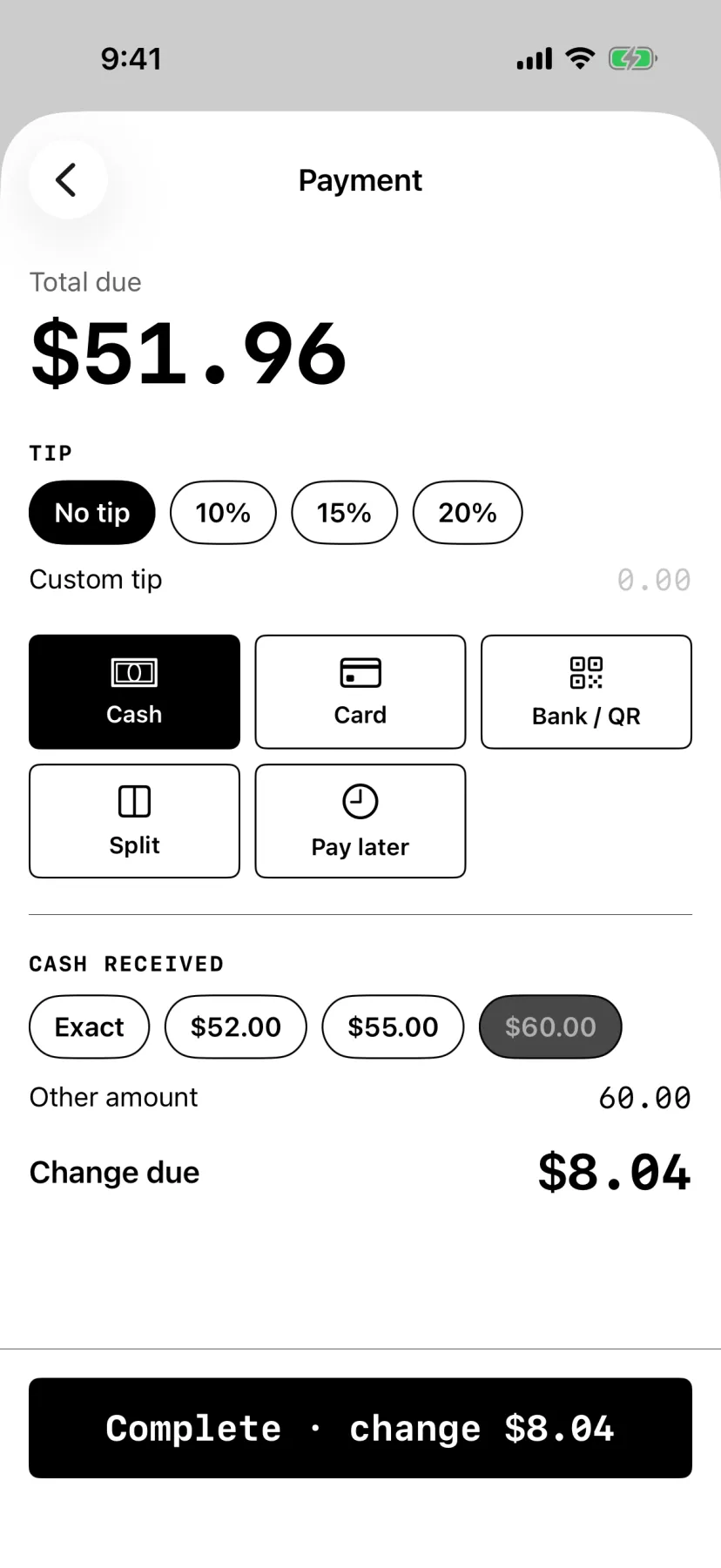
Tap items or type an amount, then tap Charge. Cash with change due, card, bank/QR, split or pay later.
- 04
Print
The receipt prints right away. Share it as a PDF or image when the customer isn't there.
Works with the printer you already have.
Most ESC/POS thermal printers that connect over Bluetooth LE or Wi-Fi work, including the low-cost 58 mm printers sold online.
Check firstPrinters that only use classic Bluetooth (MFi) can't be used by iPhone apps. Before you buy, check that the listing says BLE, Bluetooth 4.0+, Wi-Fi or LAN.
- Bluetooth LE
- Connect inside the app
- Wi-Fi / LAN
- Network printers on port 9100
- 58 mm & 80 mm
- Both paper widths
- ESC/POS
- The common receipt-printer language
- Print queue
- Failed jobs wait for a retry
- Auto-reconnect
- Finds the last printer again
- Demo printer
- Try it all with no hardware
- Labels
- 40×30, 50×30 and 58×40 mm price labels
Everything a small shop needs. Nothing it doesn't.
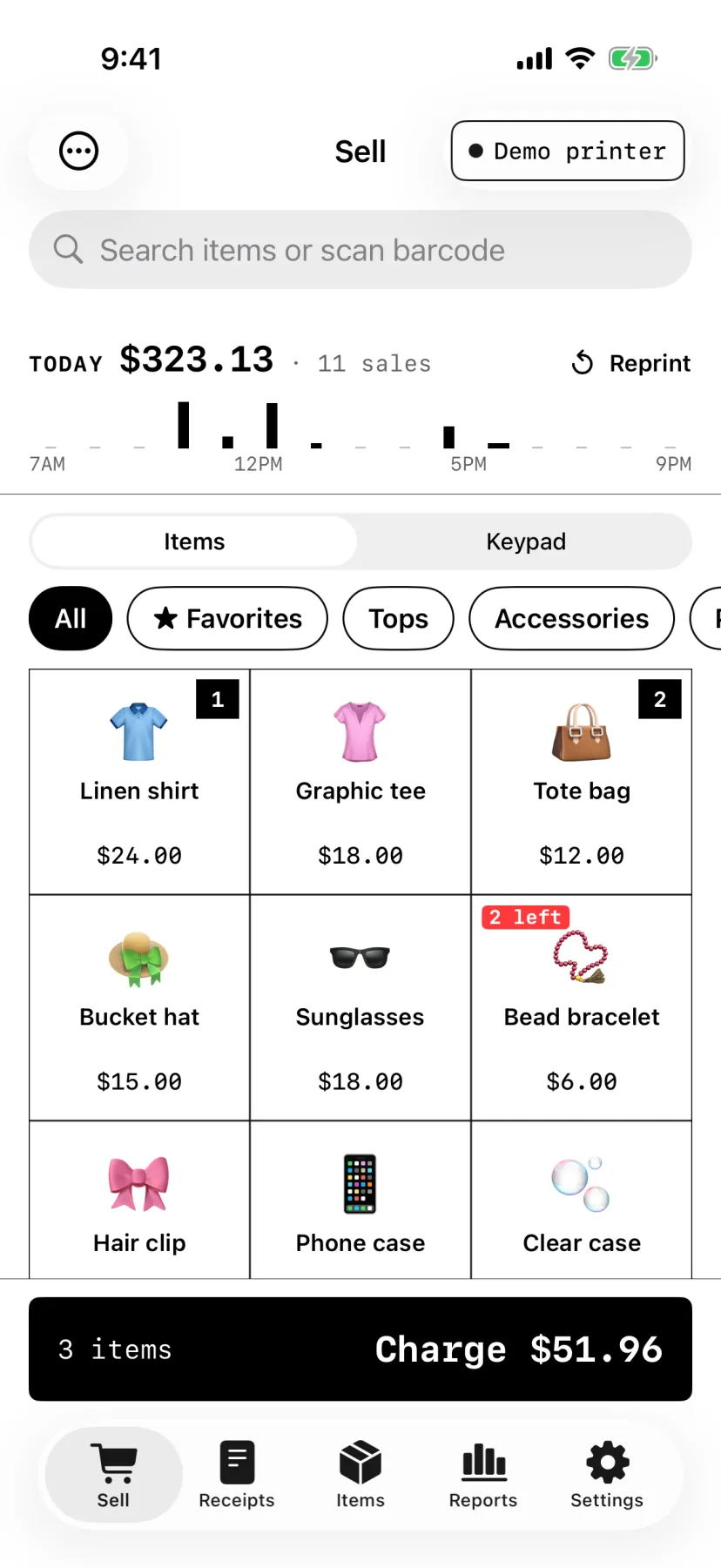
Sell fast
- Product grid with categories, favorites and search
- Custom amount keypad
- Discounts, sales tax, tips and service charge
- Cash, card, bank/QR, split and pay later
- Hold and resume open tickets
- Barcode scanning with the camera
Receipts that look like a real business
- Your name, logo, tax ID and social handles
- Several layouts with a live preview
- QR code for reviews, your page or payment
- Gift receipts and merchant copies
- Invoices and quotes, shared as PDF
- Kitchen tickets and order numbers
Fix mistakes
- Reprint any receipt with one tap
- Itemized refunds with a refund slip
- Void with a reason
- Numbers that never skip or repeat
- Record payments on unpaid bills
Know your numbers
- Today's total on the Sell screen
- Sales by item, category, payment and hour
- Cash drawer count: expected vs counted
- End-of-day Z-report on paper
- Excel (.xlsx), CSV and PDF export
Inside the app
Built for the counter, not the back office.
For market stalls, small shops, kiosks, pop-ups, food stalls, salons, repair shops and online sellers who hand over orders in person: anyone who needs a receipt, not a cash register.
Your data stays yours.
Works fully offline. Sales, items and customers are stored on your device. Back up to Files or iCloud Drive and restore on a new phone.
- No account or sign-up
- No ads
- Face ID or passcode app lock
FAQ
Which receipt printers work with the app?
Most ESC/POS thermal receipt printers that connect over Bluetooth Low Energy (BLE) or over Wi-Fi / Ethernet on port 9100, with 58 mm or 80 mm paper. That covers many of the low-cost printers sold online for small shops. Printers that only use classic Bluetooth (MFi) cannot be reached by iPhone apps, so check that a printer says BLE, Wi-Fi or LAN before you buy it.
Can I try it before I buy a printer?
Yes. The app includes a demo printer that shows exactly what a real printer would print, dot for dot. You can set up your shop, ring up sales and design your receipt with no hardware at all, then connect a real printer later.
How do I connect my Bluetooth printer?
Turn the printer on, open the app and tap it when it appears in the list. Bluetooth LE printers connect right inside the app, with no pairing in iOS Settings. Print the test page to check alignment, darkness, the QR code and the barcode. After that, the app reconnects to the same printer when it is turned back on.
What happens if the printer disconnects in the middle of a sale?
The sale is saved anyway and the receipt waits in the print queue. When the printer is back, retry it from the queue or reprint it from Receipts with one tap. A failed print is never silently lost, and the printer status (connected, searching or offline) is always shown on the Sell screen.
Will accented letters, other alphabets and my logo print correctly?
Yes. Receipts are printed as an image, so accents, symbols, other alphabets and your logo come out exactly as they look in the preview, on any generic printer, with no code-page setup.
Does it work without internet?
Yes. Selling, printing, receipts, reports and exports all work fully offline. Your data is stored on your iPhone or iPad.
More answers in the full FAQ.
Retire the notebook.
Download Receipt POS for iPhone, connect your printer and print your first receipt today.
Try it with the demo printer first. No hardware needed.